Start with a property and a financing goal. STR Advisory helps organize the income assumptions, financing choices, and next steps in one decision process.
Before you begin #
- The property address and intended rental use.
- A purchase price or estimated current value.
- Your available down payment or current loan balance.
- Rental income evidence, if the property already operates.
You can begin researching before you have every document. Mark uncertain numbers as assumptions in your own notes and revisit them before requesting review.
Complete the preliminary check #
- Open Analyze a Property.
- Choose the goal that matches your situation.
- Enter and verify the property address.
- Provide the relevant property, financing, and income information.
- Review the inputs before continuing to the account step.
When registration happens #
The current preliminary-check flow asks you to continue with Google or create an email login to save the property and see your options. Registration creates a lead record; the flow states that team contact happens only when you request follow-up. The public sample analysis can be viewed without an account.
See this step in the app #
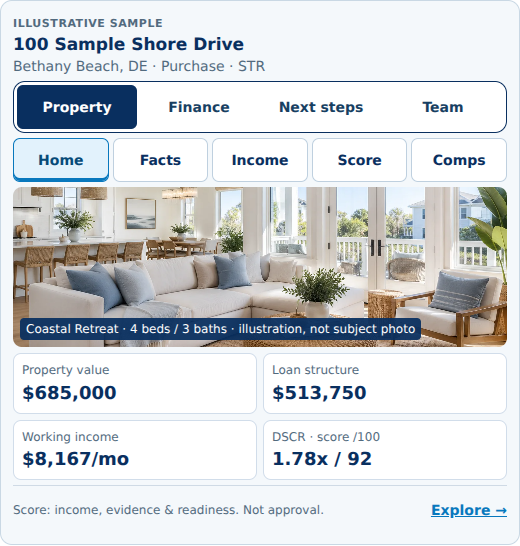
Explore this screen in the interactive demo. Open the screenshot to inspect it at full size.
Related help #
Analyze a Property · Contact STR Advisory
Property and financing outputs are preliminary estimates, not an approval, rate lock, commitment, or guarantee. Eligibility and final terms require professional review and lender underwriting.


