Getting started
Research a rental.
Compare rates. Save your work.
Follow the steps from property address to income research, financing comparisons and a saved workspace. Start with your purchase or refinance goal and review the assumptions as you go.
Free registration required to view estimated rates and save your research. No sales call required. Contact our team when you choose. Estimates are subject to lender review.
Follow the decision process.
Step 1
Choose what you want to evaluate.
Select the goal that matches your situation. It determines which information is relevant.
Purchase
Use the expected purchase price and available down payment. Include closing costs, repairs, furnishings and reserves in your cash plan.
Refinance
Use a reasonable current value estimate and existing loan details. Compare costs and any prepayment obligation with the potential benefit.
Cash out
Include the current balance and desired proceeds. Review how additional debt changes payment, equity and income requirements.
Step 2
Enter and verify the property address.
Select the matching address suggestion where available. Review the completed street, city, state and ZIP fields, including the unit if relevant.
If the suggestion is unavailable or incorrect, use the manual address fields provided in the form.
- Confirm that you are analyzing the correct property.
- Review property type, unit count and rental strategy.
- Check imported details against reliable property records.
- Verify permitted rental use separately.
Address verification does not establish ownership, title, zoning or rental permission.
Step 3
Review the income evidence and assumptions.
For an operating rental, organize actual history. For a proposed purchase or conversion, clearly identify projected income and its supporting evidence.
Review available comparable-property research where provided. Coverage varies by property and market.
For long-term rentals, review lease income separately from market-rent estimates. Confirm any furnished mid-term rental scenario with the team if the form does not offer the appropriate path.
Understand the methodology
Understand DSCR, required income and cash flow.
DSCR
Compares qualifying income with the payment obligation defined by the lender or illustration.
Required income
Shows the qualifying income needed to support a payment at the selected DSCR target.
Cash flow
Accounts for rental revenue, operating expenses and debt payments. It is separate from DSCR.
Do not treat a strong ratio or property score as an approval or recommendation to buy. Review the underlying evidence and test lower income or higher expenses.
Look up unfamiliar termsStep 4
Compare the financing tradeoffs.
Review the available preliminary choices together—not just the headline rate.
- Down payment and leverage.
- Estimated payment and required rental income.
- Points, fees and cash needed.
- Prepayment terms and intended holding period.
- Cash-out proceeds and retained equity where relevant.
Available options and final terms depend on current pricing, program requirements and underwriting.
Learn how to compare structures
Step 5
Save the property and the assumptions.
Continue with Google or an email login when prompted. Use the available save controls to keep the property and preferred preliminary financing option in your workspace.
When comparing opportunities, use consistent expense assumptions and check how much cash each property requires.
Before relying on an update, confirm that the saved record reflects the information you intended to keep.
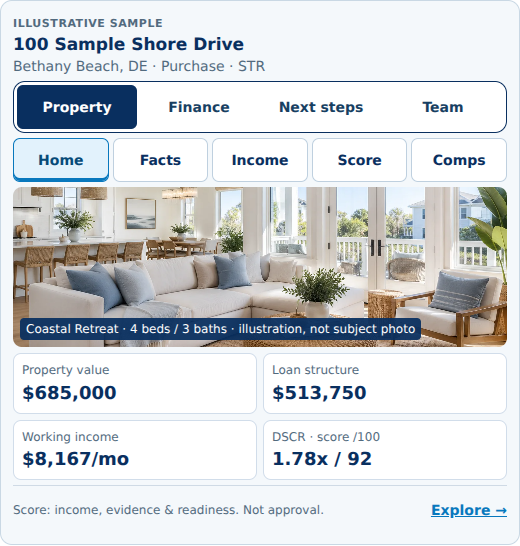
Step 6
Request human review when you are ready.
Bring a saved property, a preferred financing comparison and the main question you want answered.
Our team can review the package, identify missing evidence and discuss eligible next steps. Formal financing moves through the appropriate application and secure document process.
- Organize income records and current loan information.
- Confirm ownership and who can authorize the transaction.
- Identify unresolved property or rental-use questions.
- Use secure document channels when requested.
If something does not look right
The address suggestion does not match.
Review the street, unit, city, state and ZIP. Use the manual fields where provided. If the property still cannot be identified correctly, contact the team before relying on the analysis.
Property records differ from my information.
Check reliable source documents. Correct editable inputs where available and flag unresolved discrepancies for review.
Market-income information is missing.
Missing research is an evidence gap, not a zero-income conclusion. Gather relevant operating records or other market support and request review.
The payment seems too high or too low.
Check the loan amount, rate assumption, term and included taxes, insurance and association dues. Confirm that costs have not been omitted or counted twice.
I cannot find the right rental or financing path.
Do not choose an inaccurate option just to continue. Use our Contact page to explain the property and your goal.
Start with the property you want to evaluate.
Analyze the property. Compare the financing. Prepare the transaction.
No credit pull for the preliminary check. Estimates are not approvals, applications, rate locks or commitments to lend. Financing is subject to underwriting, eligibility, lender requirements and applicable state availability. Income, qualification and terms are not guaranteed.