See STR Advisory in action
See the tools behind
a better rental-property decision.
Explore property research, income assumptions, scoring, financing comparisons and the saved workspace. See how the tools support a purchase or refinance before starting your own analysis.
Free registration required to view estimated rates and save your research. No sales call required. Contact our team when you choose. Estimates are subject to lender review.
Explore the walkthrough.
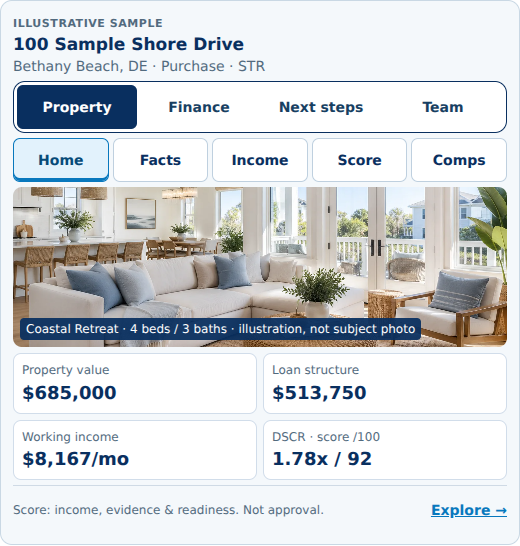
Explore one interactive sample through its native workspace tabs. Written descriptions explain each section. Figures shown are illustrative estimates, not current quotes or customer results.
1 · Organize the decision
Keep property opportunities in one workspace.
Save the property information and analysis you want to revisit. Use the workspace to keep opportunities organized while you evaluate a purchase or an existing rental.
Start with the address and your financing goal. Review the property details and assumptions before relying on an output.
2 · Review the evidence
Understand where the income estimate comes from.
Review available rental-market research and comparable properties. Separate projected income from documented operating history.
Check whether the assumptions fit the property’s location, rental use, availability and operating plan. Research coverage varies by market and property.
A lender determines what income evidence it accepts and how that income is adjusted for qualification.
Understand income documentation3 · Compare your capital choices
See how the down payment changes the decision.
Compare the cash invested with the estimated loan payment and required rental income.
A larger down payment can reduce borrowing, but it also leaves less cash available for reserves, furnishings or another investment. Include closing costs and operating needs in the comparison.
Explore a worked numerical example4 · Understand the structure
Compare more than the interest rate.
Review preliminary rates, payments, points and prepayment terms alongside leverage and cash required.
Choose the comparison that fits your holding period and capital plan. Save a preferred option so the assumptions are available for review.
Learn about financing tradeoffs5 · Prepare the transaction
Request human review when you are ready.
Save your property analysis, preferred financing option and supporting information. Our team can review the package and identify what is needed next.
Eligible transactions can then move into an application and secure document process. A saved option or review request is not a loan approval.
See how financing review worksWhat you can take from the analysis
Buy Well
Understand income assumptions, property constraints and the cash needed to pursue an opportunity.
Finance Well
Compare payment, leverage, upfront costs and prepayment tradeoffs.
Prepare Well
Organize the property information and questions needed for a useful human review.
Before you start
Do I need to schedule a meeting first?
No. Start with the preliminary tool and request human review when you are ready. If you prefer a conversation first, use our Contact page.
When do I create an account?
The current public flow asks you to continue with Google or create an email login before saving the property and viewing preliminary options.
Are the figures in this demo live rates?
No. These recordings and screenshots are captured examples. Available financing depends on current pricing, the scenario and lender requirements.
Does a property score mean I should buy?
No. Treat a score as an input to further evaluation. Verify the underlying assumptions and obtain the professional advice needed for your decision.
Try the process with your property.
Analyze the property. Compare the financing. Prepare the transaction.
No credit pull for the preliminary check. Preliminary estimates are not an approval, application, rate lock or commitment to lend. Financing is subject to underwriting, property and borrower eligibility, lender requirements and applicable state availability. Income, qualification and loan terms are not guaranteed.